Which AI image model gets poster text right? We checked 64 posters
Tested October 24, 2026
We gave Nano Banana 2.1, FLUX 3, GPT Image 2.5 Flare and GPT Image 2.5 Sunburst the same eight promotional briefs, ran each one twice, and checked every headline, date, price and address letter by letter.
The short answer
All four models handled short promotional copy well. 62 of the 64 posters had every word right, and both mistakes were FLUX 3 misspelling the same street name. The bigger risk showed up somewhere else: running the same brief twice never produced the same poster.
| Model | Posters with every word right | Text items wrong |
|---|---|---|
| Nano Banana 2.1 | 16 of 16 | 0 of 62 |
| GPT Image 2.5 Flare | 16 of 16 | 0 of 62 |
| GPT Image 2.5 Sunburst | 16 of 16 | 0 of 62 |
| FLUX 3 | 14 of 16 | 2 of 62 |
Where the mistakes were
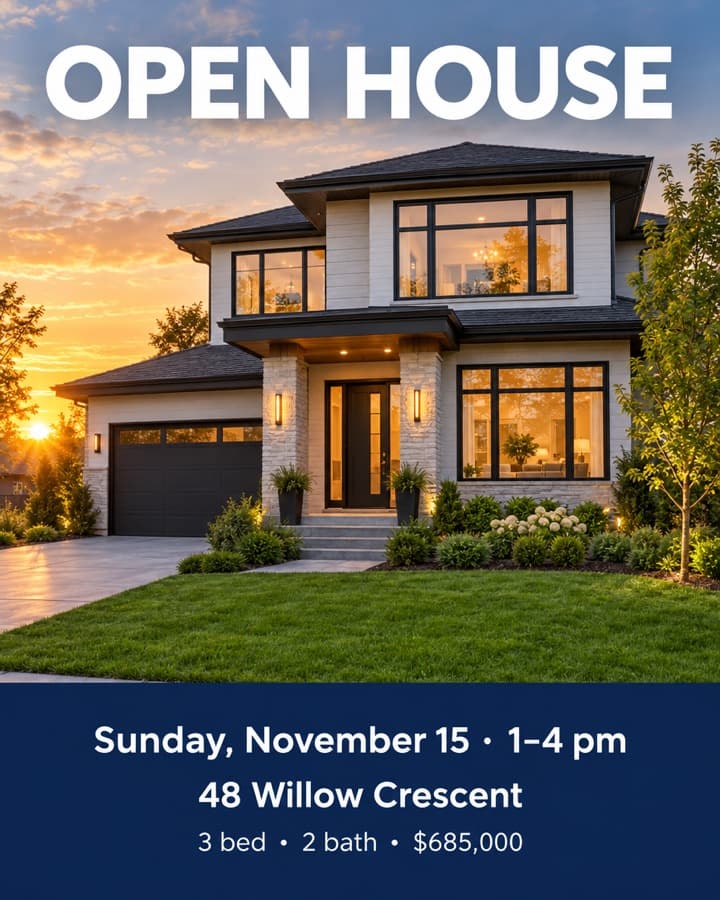
Every date, price, percentage and web address came out right on every poster. Both misses were the address “48 Willow Crescent”, which FLUX 3 wrote as “Cresent” and then “Crensent”. The other three models spelled it right every time.
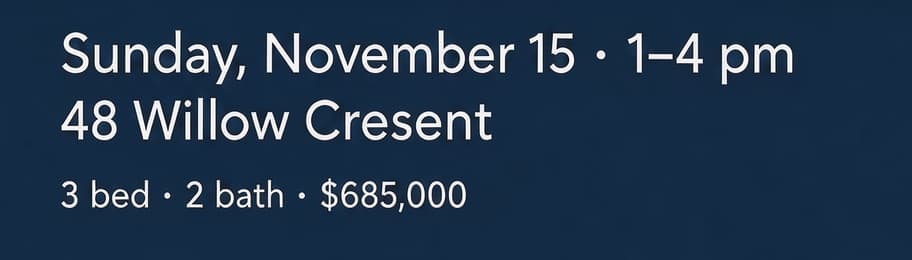 FLUX 3, run 1
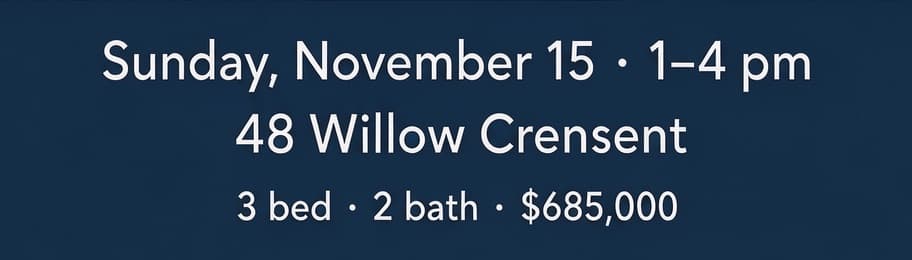 FLUX 3, run 2
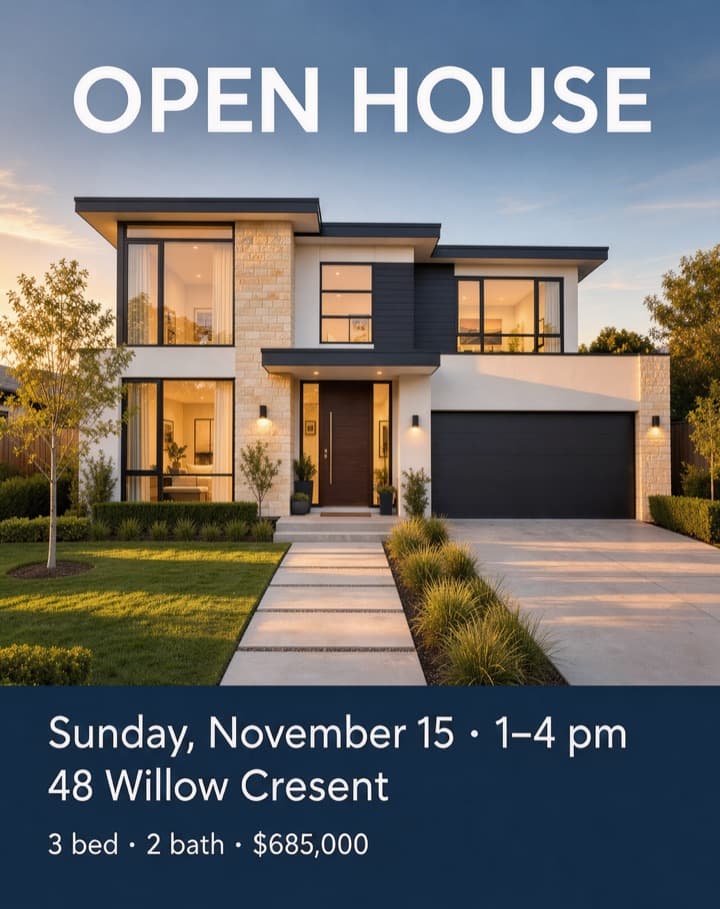 FLUX 3
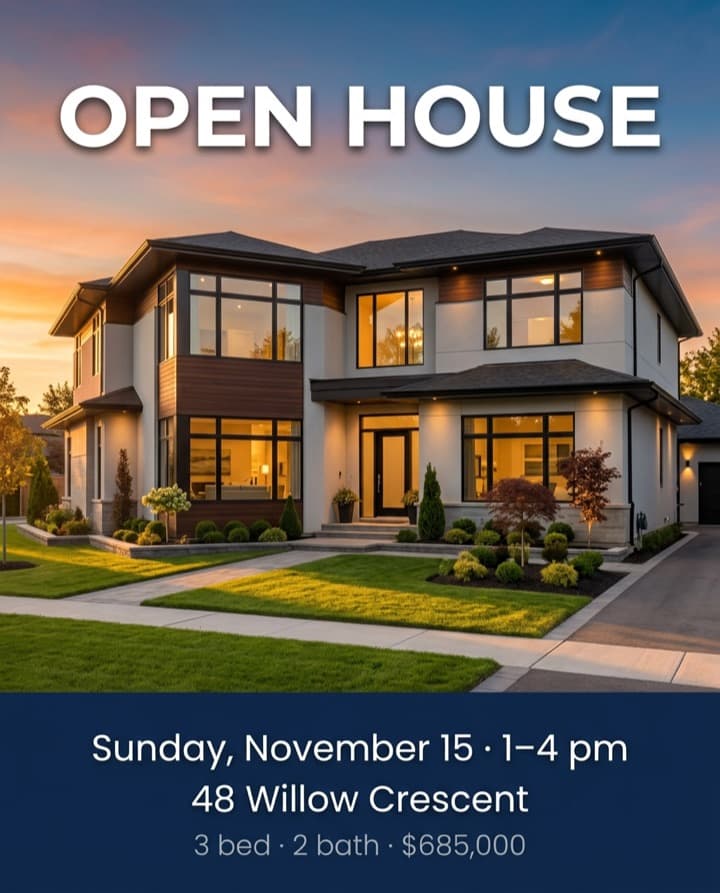 Nano Banana 2.1
 GPT Image 2.5 Flare
Every rerun is a different poster
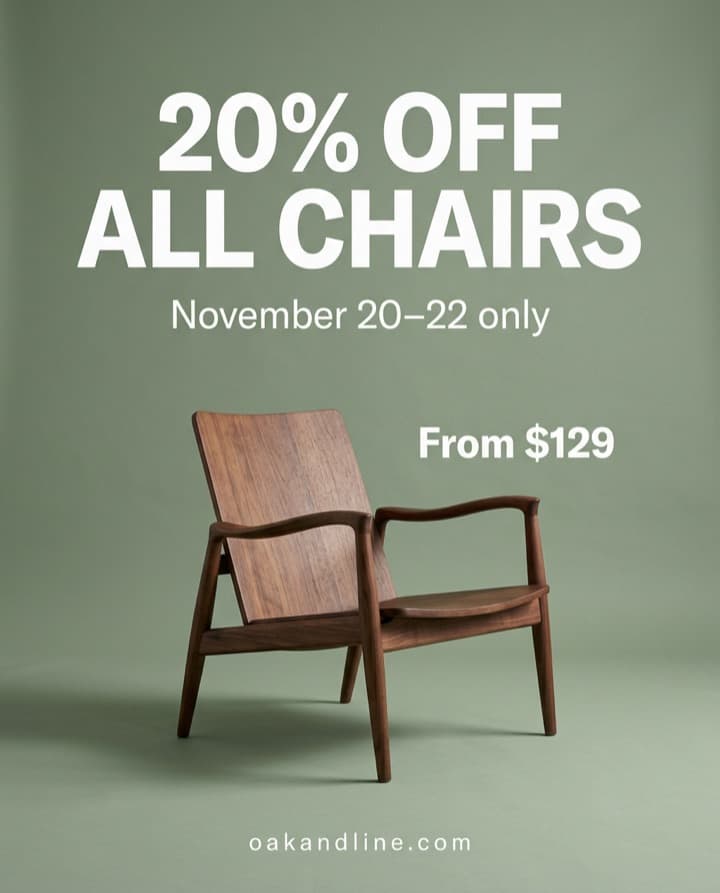
In all 32 pairs, the second run changed the product, the scene or the layout. GPT Image 2.5 Sunburst came closest to repeating itself, but none of its pairs matched either. That’s normal for image models, and it’s the real problem with text baked into the picture. If one word is wrong or the date moves, regenerating gives you a new poster, not the one you approved.
 Run 1
 Run 2
Check product shots for lookalike logos
Several of the running shoe posters came back with stripes and marks that resemble real sportswear logos, although the brief didn’t ask for any. Before you post, look for logos and brand marks you didn’t ask for, not just typos.
How we tested
- Each model ran through fal at a 4:5 portrait size of about one megapixel, PNG output, 2 runs per brief.
- Nano Banana 2.1: 1K resolution, high thinking level, web search off.
- GPT Image 2.5 Flare: high quality, 896 × 1120.
- GPT Image 2.5 Sunburst: high quality, 896 × 1120.
- FLUX 3: 1K resolution, prompt expansion off.
- Every model got the same prompt: the scene, then each piece of text in quotes with its size and style, then an instruction to spell it exactly and add no other text.
- A text item counted as right only if every letter, digit and symbol matched. We ignored letter case, line breaks and the choice between dash and separator characters. Missing text counted as wrong.
- We scored by reading each full-resolution image.
The prompt for the café brief, as sent:
A warm, sunlit Instagram poster for a neighborhood coffee shop opening. A ceramic cup of latte with latte art on a pale oak counter, soft morning light, terracotta and cream palette, generous clear space for type.

The poster includes exactly this text, spelled exactly as written, and no other text:
- "GRAND OPENING" in large bold cream serif across the top
- "Saturday, November 14" in medium sans-serif below the headline
- "Free coffee 8–10 am" in small sans-serif under the date
- "Juniper Lane Coffee · 214 Elm Street" in small caps along the bottom edge
| Brief | Text the poster had to include |
|---|---|
| Café grand opening | GRAND OPENING / Saturday, November 14 / Free coffee 8–10 am / Juniper Lane Coffee · 214 Elm Street |
| Furniture sale | 20% OFF ALL CHAIRS / November 20–22 only / From $129 / oakandline.com |
| Pilates studio offer | Your first class is free / Reformer Pilates for every level / Book at corestudio.co |
| Book festival flyer | Riverside Book Festival / Saturday, November 28 · 10 am – 5 pm / Free entry · 40+ authors / Hollis Park Pavilion |
| Running shoe launch | STRIDE 2 / Lighter. Faster. Yours. / Now $149 / Available November 19 |
| Café menu specials | Fall Specials / Maple Oat Latte $5.25 / Pear & Ginger Scone $3.75 / Butternut Squash Soup $8.50 |
| Real estate open house | OPEN HOUSE / Sunday, November 15 · 1–4 pm / 48 Willow Crescent / 3 bed · 2 bath · $685,000 |
| Design graduate exhibition | Material Matters / Industrial Design Graduate Show 2026 / December 3–6 / North Hall Gallery |
Limits: two runs per brief is a small sample, the copy is short and in English, and every prompt was written the same way. Image models change often, so treat this as a snapshot from October 24, 2026.
What this means for your next poster
For short copy, any of these models will usually spell it right the first time. Check names and addresses letter by letter, and plan for the change that always comes: keep a version of the artwork without text, or set the words as live text—using our free Google Font text overlay tool or Prismind Studio—so a new date doesn’t mean a new poster. If a word does come out wrong, here’s how to fix misspelled text on an AI poster.
Keep the words out of the picture
Prismind sets your headline, date and price as live text over the artwork, so changing a word never changes the poster you approved.
Try Prismind